- Skip to main content
-
-
Net Banking
FASTag
Employee Logins
J&K Bank Rewards
Credit Card e-Bill
Safe Banking

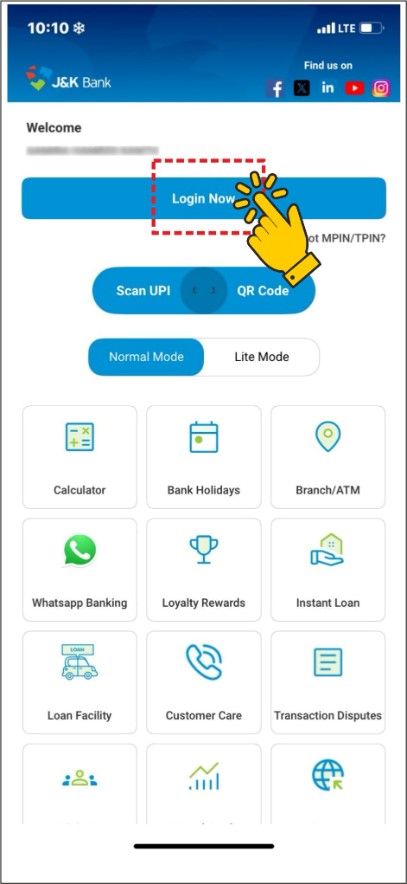
Step 1: Log in to J&K Bank Mobile Banking App
Open the J&K Bank MPay Delight+ app and tap 'Login Now' to sign in.
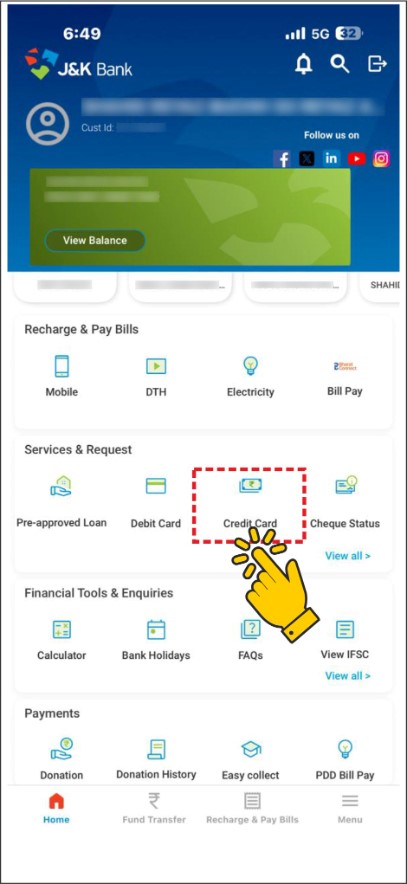
Step 2: Navigate to Credit Card Section
Scroll to 'Services & Request' and select 'Credit Card'.
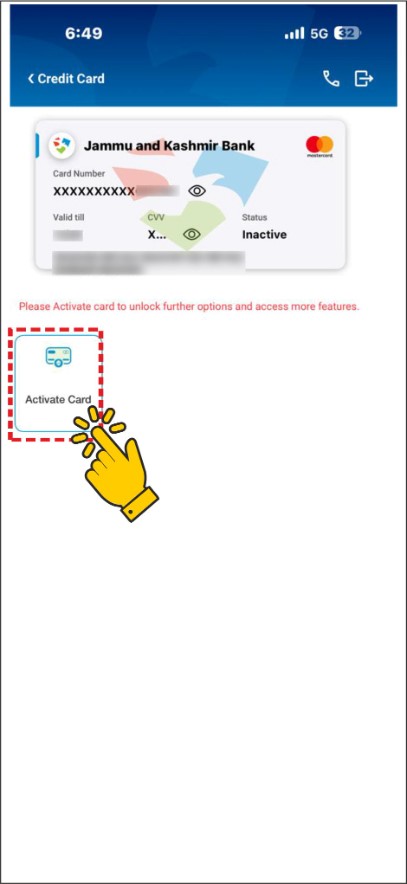
Step 3: Select Your Credit Card
Tap 'Activate Card' under your displayed credit card details.
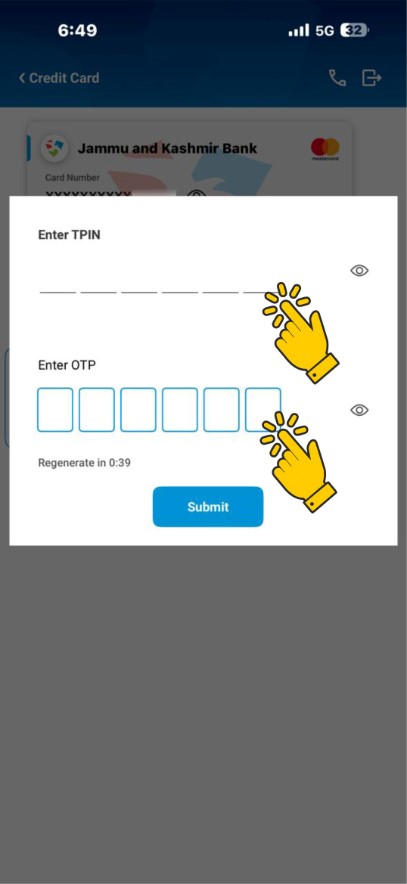
Step 4: Authenticate Activation
Enter your TPIN and OTP, then tap 'Submit'.
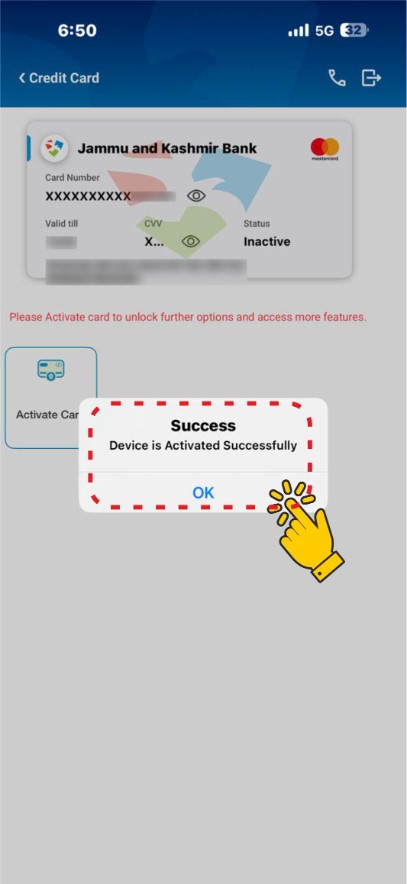
Step 5: Confirmation
Tap 'OK' when the success message appears.
Step 6: Card Status
Ensure your card status shows 'Active' to start using it.
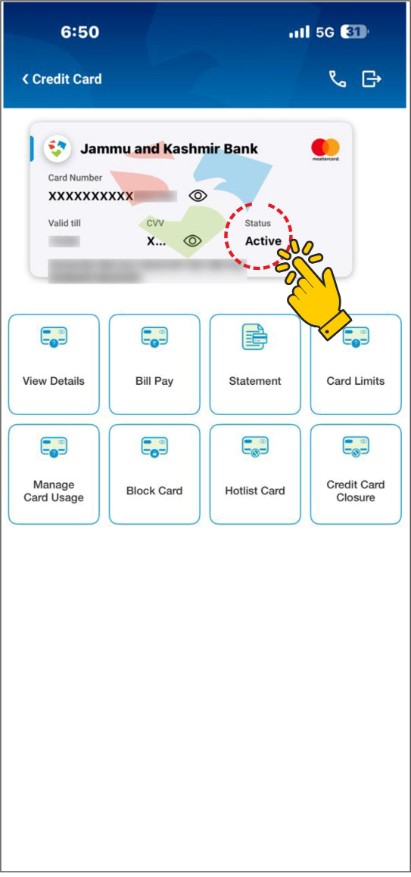
Your J&K Bank Credit Card is now activated and ready for use!